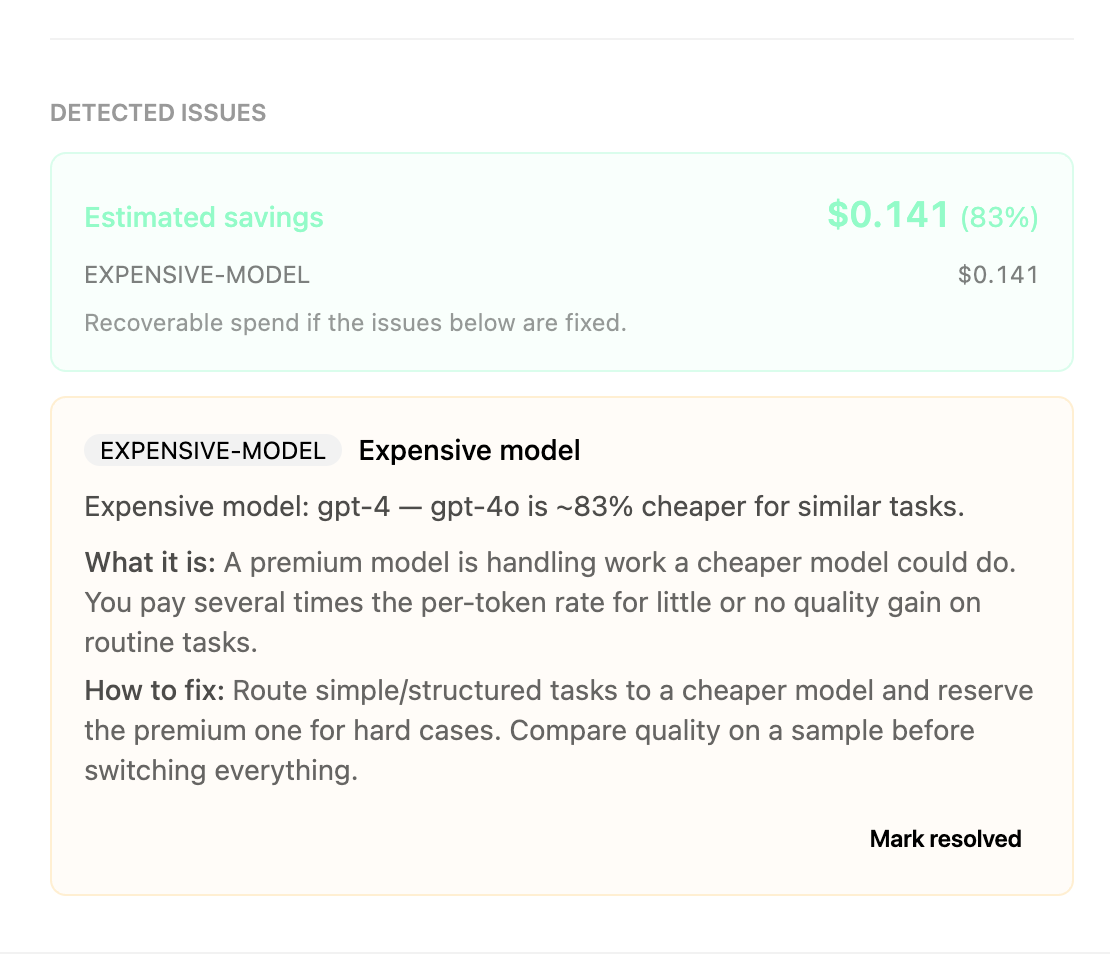
Flaws caught and priced
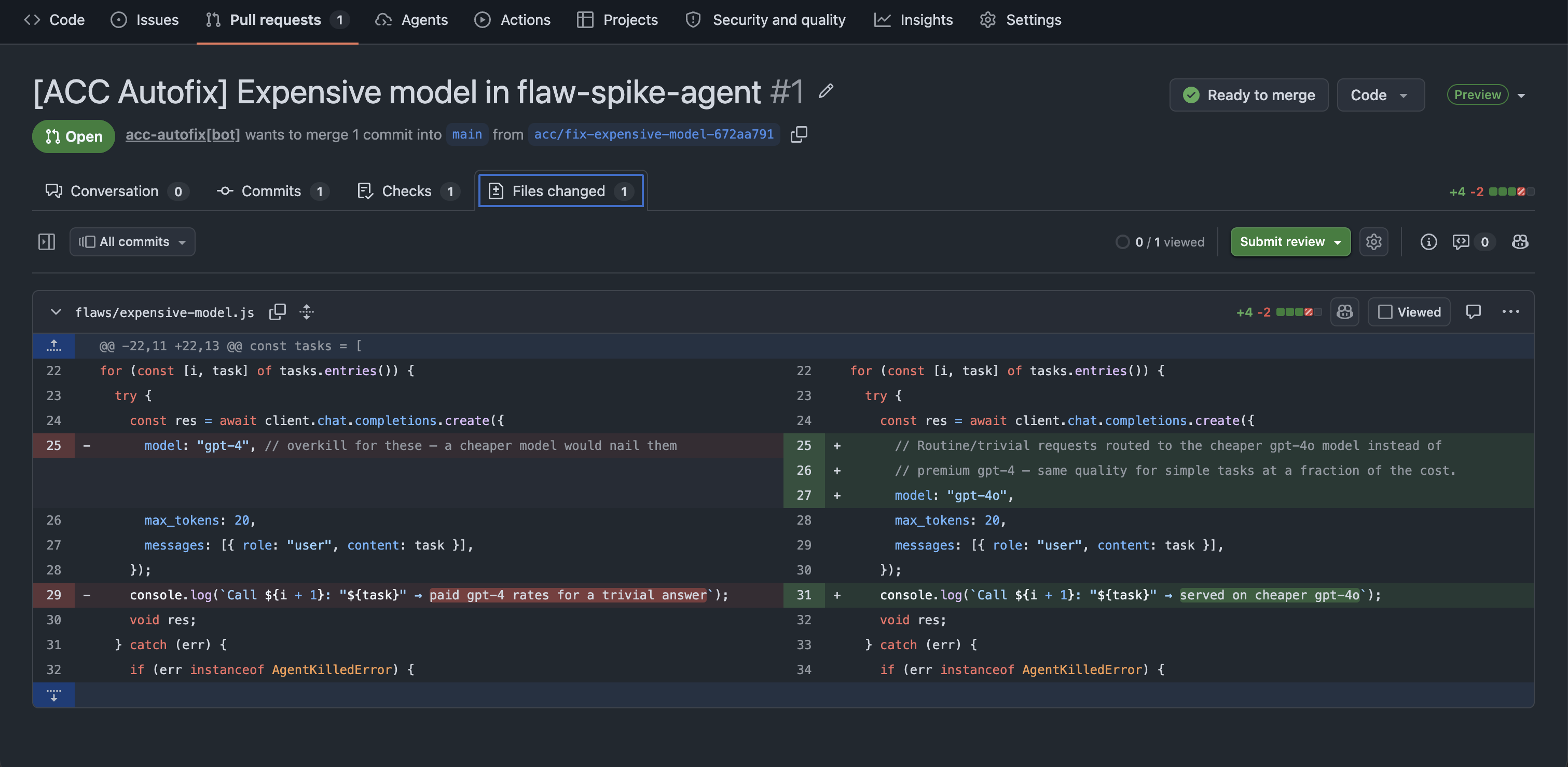
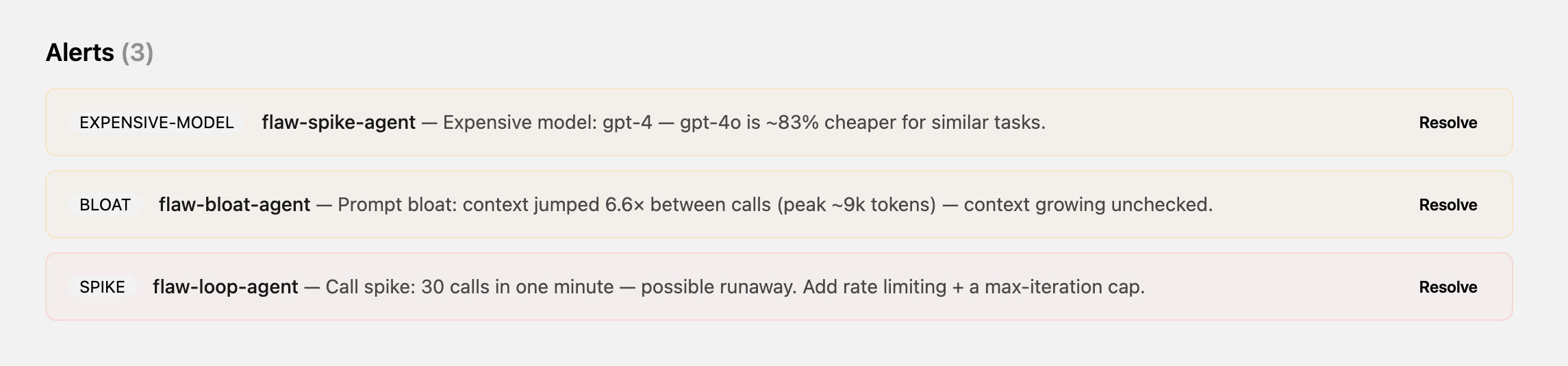
Loops, prompt bloat, fat prompts, redundant calls, expensive models, call spikes, stuck output — each one surfaced as a plain-language alert with the wasted dollars attached and a one-click fix.
- ✓Runaway loops
- ✓Prompt bloat
- ✓Stuck output
- ✓Estimated $ wasted
Budgets, auto-stop, and a kill switch
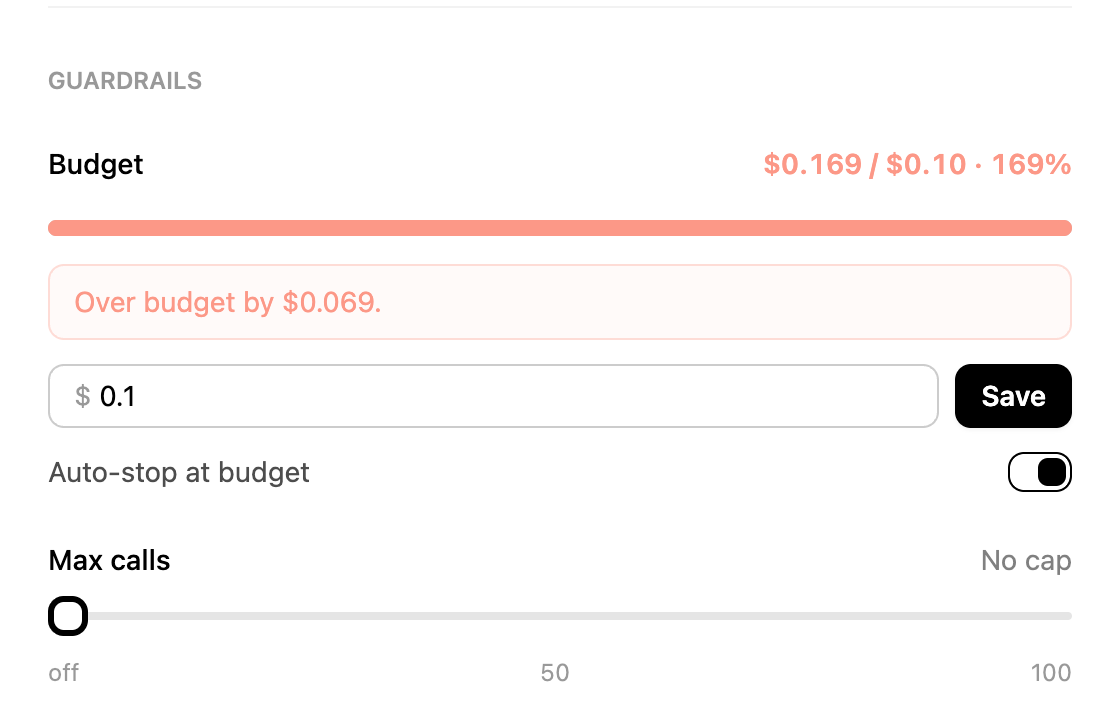
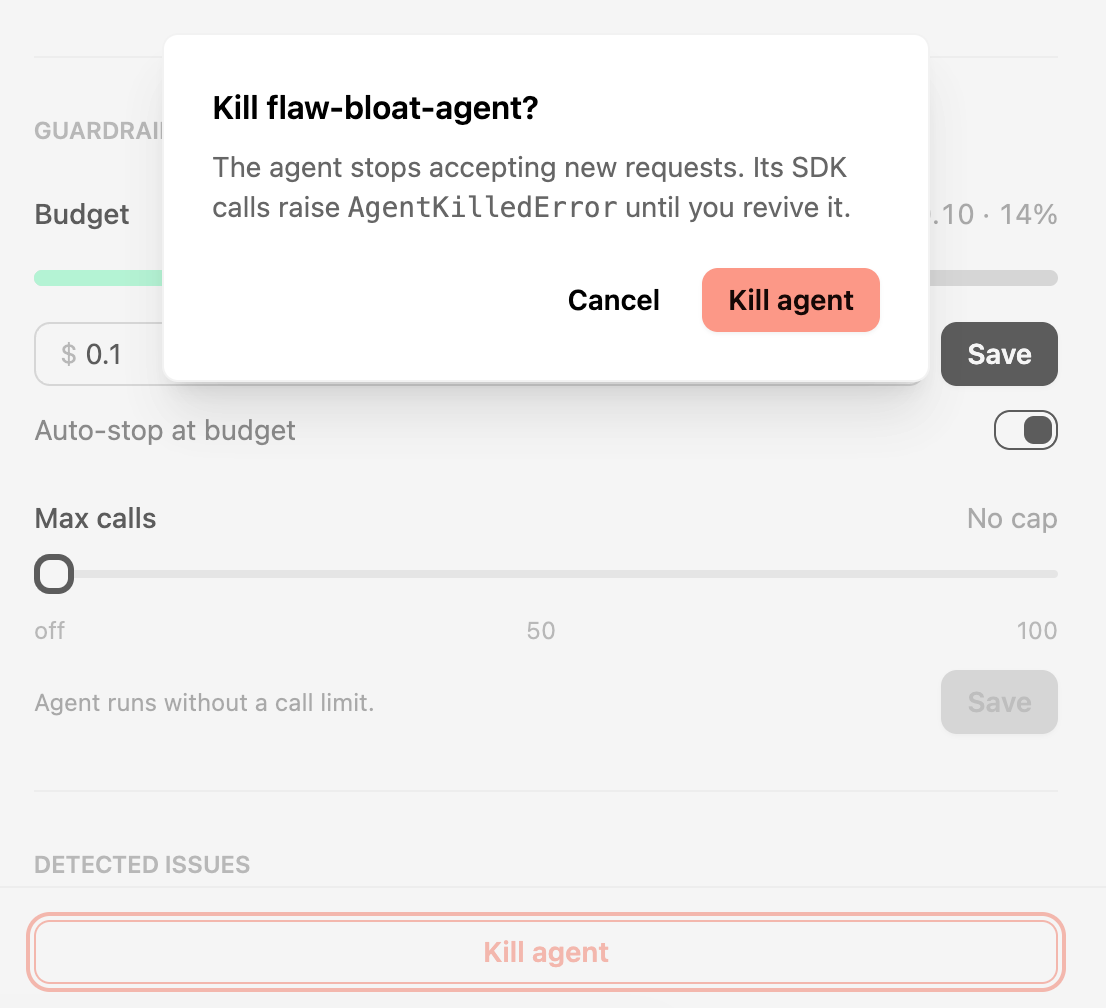
Give any agent a spend cap or a call cap — cross it and we mark the agent killed, so the next call halts instead of burning your bill. Stop, pause, or revive any agent in one click, even while it is looping right now. One killed agent never touches the others, so a multi-agent pipeline degrades gracefully.
- ✓Per-agent budget
- ✓Cap retries + calls
- ✓Auto-stop on cross
- ✓One-click stop
- ✓Revive anytime
- ✓Isolated per agent
GitHub Autofix opens the pull request
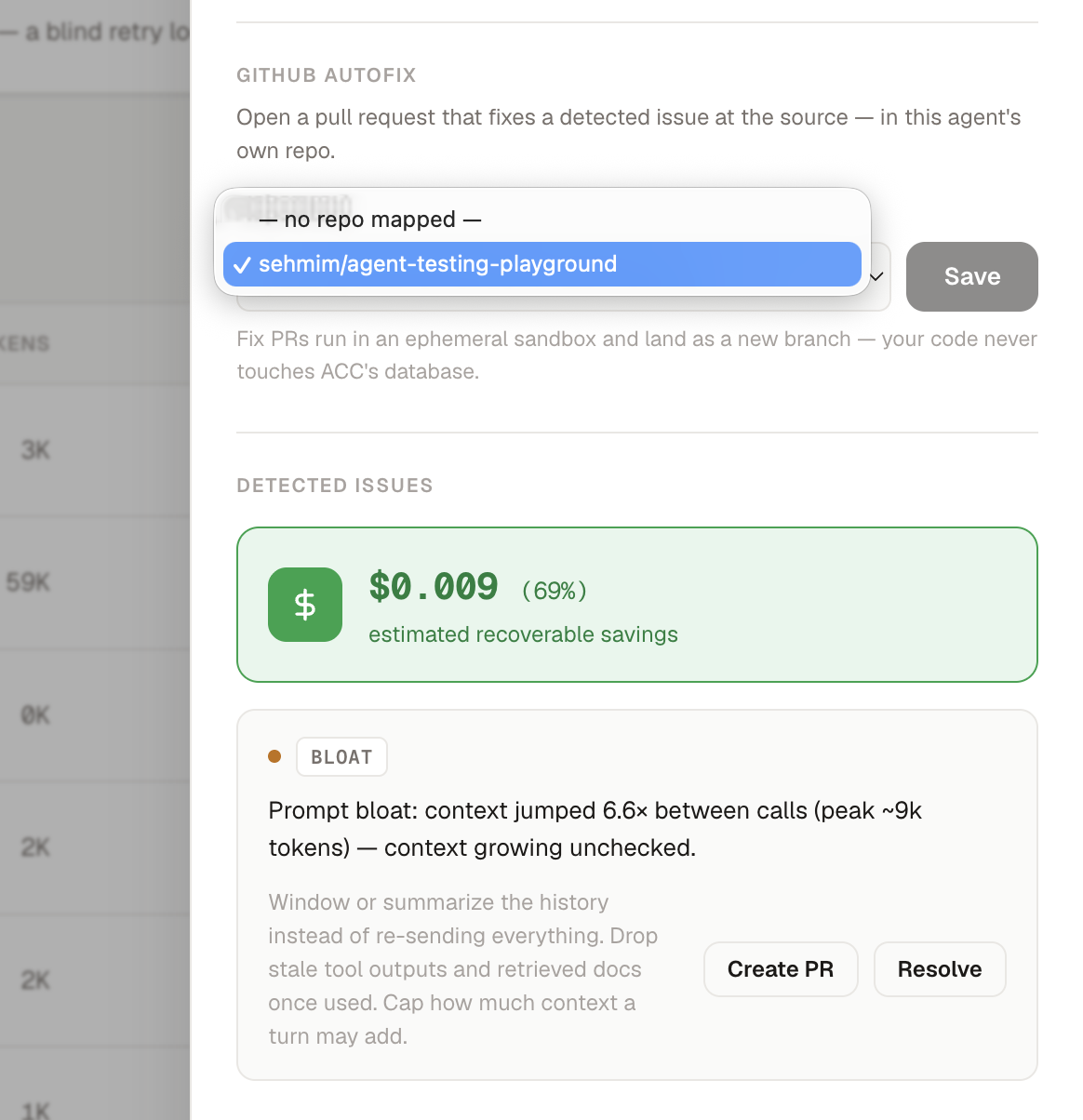
Click Create PR on any detected issue and Autofix reads the mapped repo in an ephemeral sandbox, locates the cause, makes the smallest safe change, and opens a pull request with the fix, the telemetry evidence, and the estimated savings attached. It never touches your default branch, .github/, env files, or lockfiles — review and merge it like any other PR.
- ✓One-click Create PR
- ✓Ephemeral sandbox
- ✓Evidence + savings in the PR
- ✓Never touches default branch
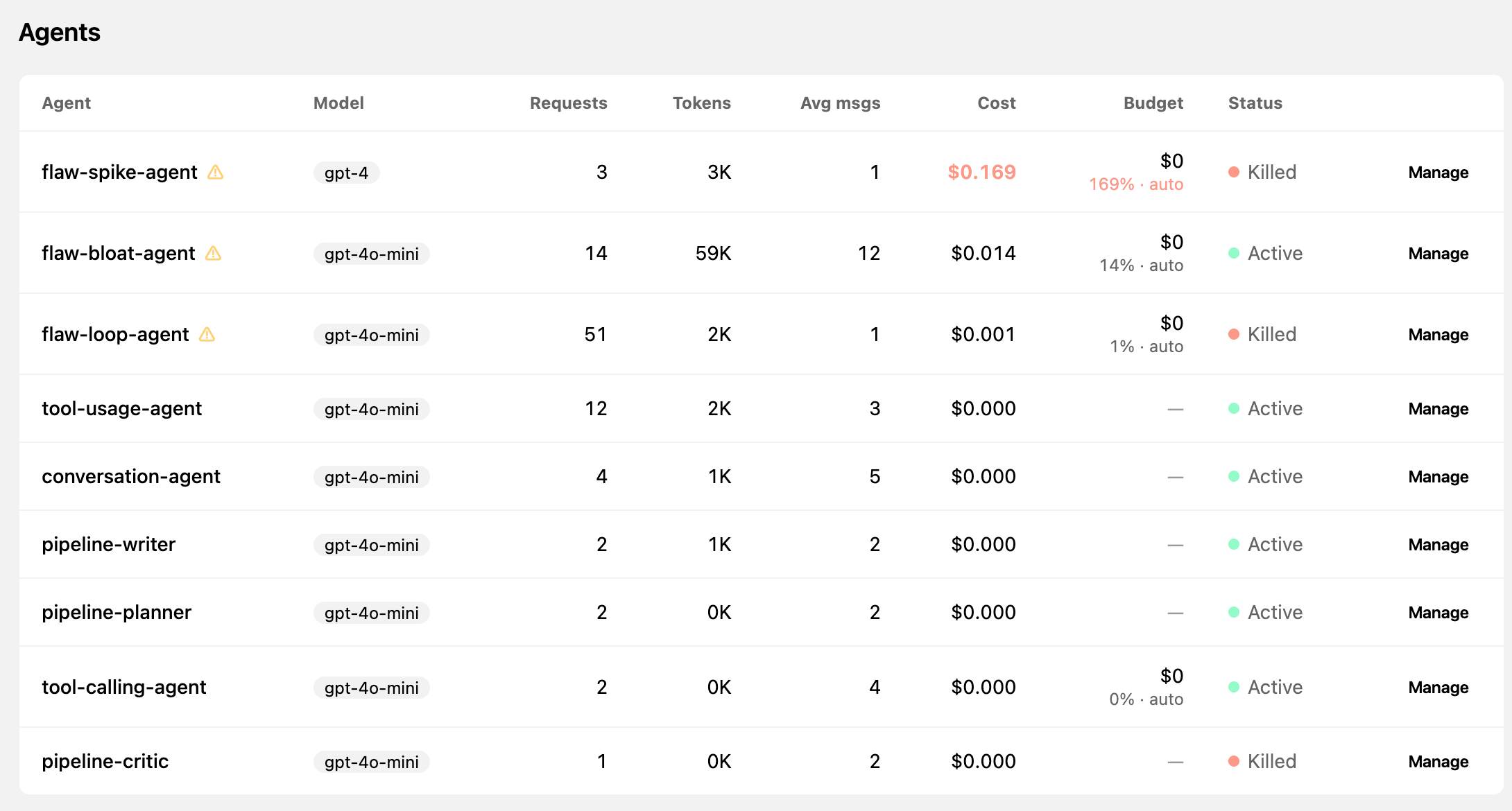
Overview of all agents, costs, and issues
Live cost, call volume, and the savings we have already found — the most expensive runs float to the top, so you always know where to look first. Every flaw becomes a tracked alert, not a one-off warning: resolve it in a click, mark it handled, and watch it move to resolved, so each agent's open issues and what you have already fixed stay visible at a glance.
- ✓Cost per agent
- ✓Calls + tokens
- ✓Potential savings card
- ✓Alerts per agent
- ✓One-click resolve
- ✓Resolved history
- ✓Open vs fixed
Get started in 3 steps
Get an API key
Create an account and mint a key on the API Keys page, then set it as ACC_KEY.
Install the SDK
npm install agentccWrap your client
One line, then keep calling the client exactly as before. Pick your SDK:
import { withCostControl } from "agentcc";
import OpenAI from "openai";

const client = withCostControl(new OpenAI(), {
  agentId: "support-bot",
  accKey: process.env.ACC_KEY,
});

// Use it exactly like the OpenAI client — usage is tracked for you.
await client.chat.completions.create({ model: "gpt-4o", messages });
Ready to track your agents?